
Mew — welcome aboard!
I'm Sooty, captain of this little boat. While you focus on your side, I sail on mine: fishing, collecting fish coins, and keeping the boat looking nice.
I typed this whole logbook with my paws, one key at a time. If something goes wrong, start here — and if you can't find it, write to me.
About us · A cat's sailing diary
A long time ago I lived in a very noisy world. Screens stayed bright, messages kept coming, and even a nap needed scheduling.
Then I found a little boat. The moment you press Start on your side, the wind picks up on mine — the sea lights up, the line goes out, and the world goes quiet.
I've been to pink dusks, snowy islands, a sea on the moon, a castle moat, and an entire galaxy. Every new place makes me think: how am I going to tell you about this later?
Maybe you're studying, writing code, finishing a draft, or just needing twenty undisturbed minutes. I can't see you during those moments, but I know you're there. You live your life carefully in this world; I sail carefully in another. That's the gentlest company I know how to give.
So Sailing Cat isn't only a timer. It's a letter mailed back from the sea: every time you keep going, someone — well, some cat — remembers.
— Sooty, and every cat on board 🐟
Sailing Cat is made by OUTSIDE 望野工作室 ↗. See what else we make.
You focus, I sail
Pomodoro, count-up, tasks, and focus categories. Every start is a new cast into the sea.
Go far away
25 seas, 17 boats, 48 cats. Your catches fill the collection, and fish coins buy new outfits.
Company in another world
Live Activities and the little boat stay lit while you work. I wait on the water — no nudging, no noise.
A few house rules from the cat: sessions, tasks, catches, and settings stay on your device by default; iCloud sync and backups are kept by your Apple account. We don't run a backend for focus data — sessions, tasks, and catches are never uploaded. Only the optional Invite Friends and Feature Wishes features contact a small server; see section 11 of the Privacy Policy.
What the cat's world looks like
A few photos brought back from the boat. Swipe sideways to see what I get up to.
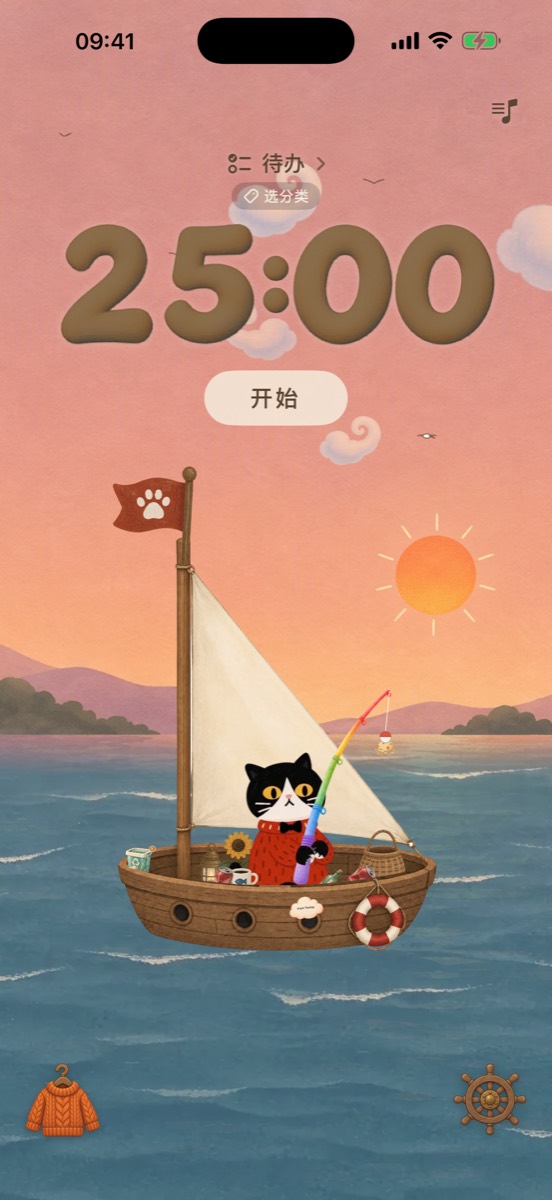
Today feels like going a little farther.
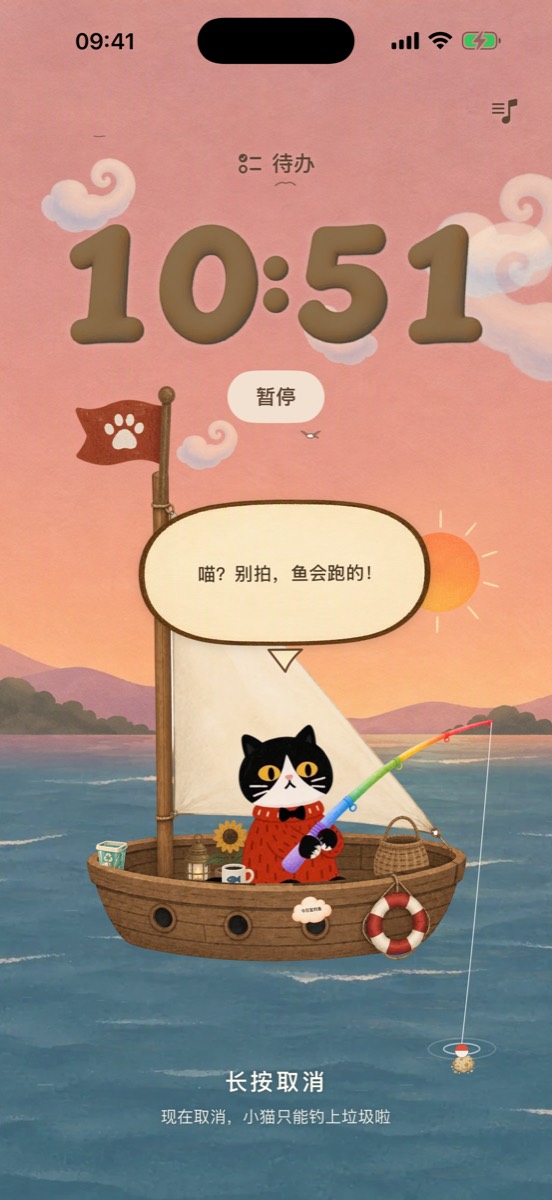
25 minutes a cast. The fish will keep count.
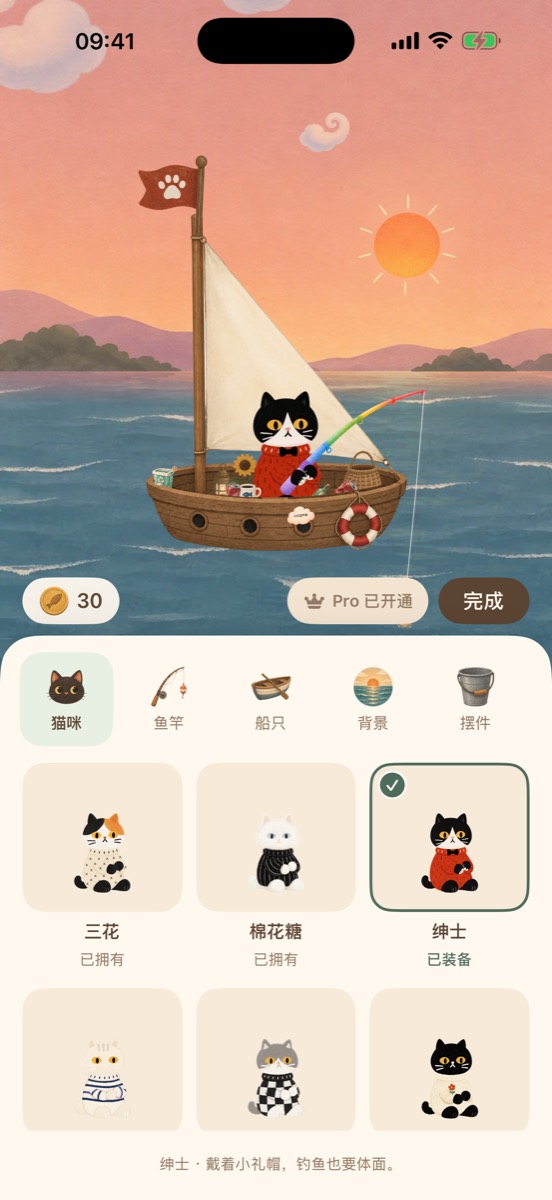
Hats, sails, and backgrounds — mix and match.
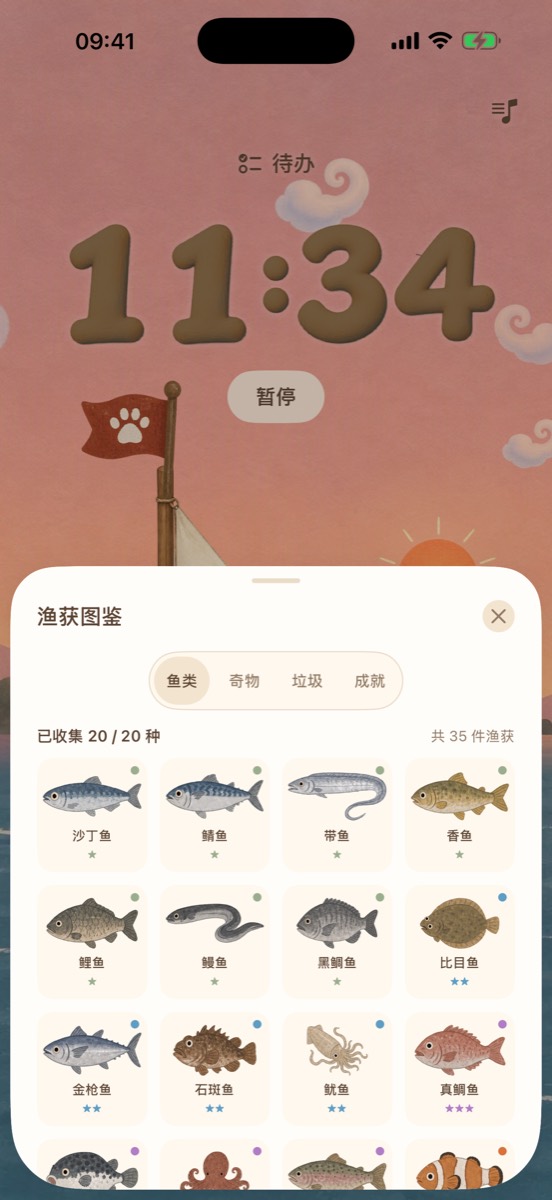
I write each one in my little book.
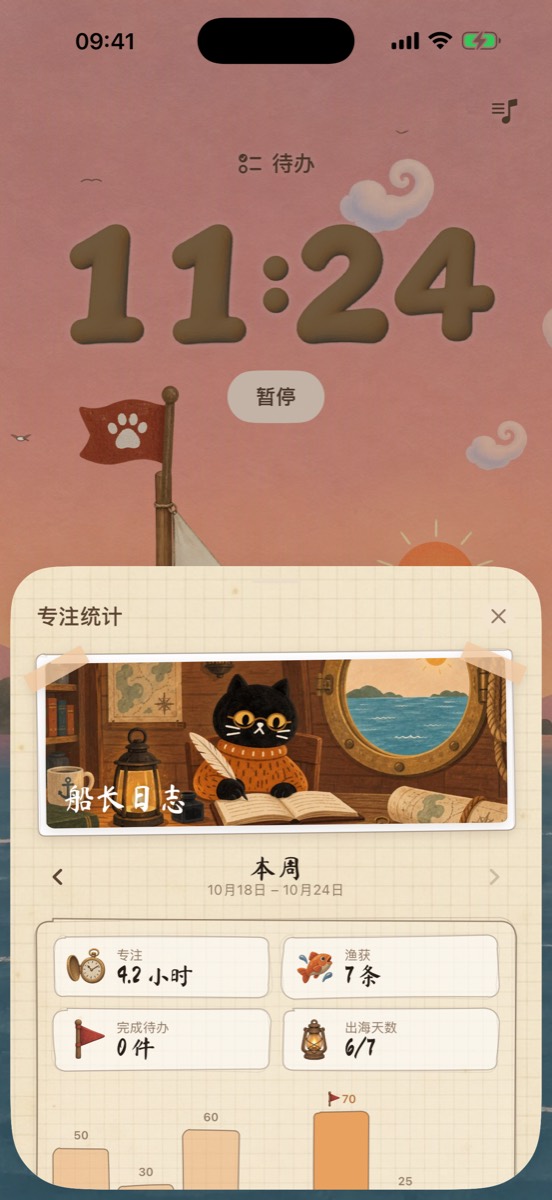
Every focused minute becomes a voyage.
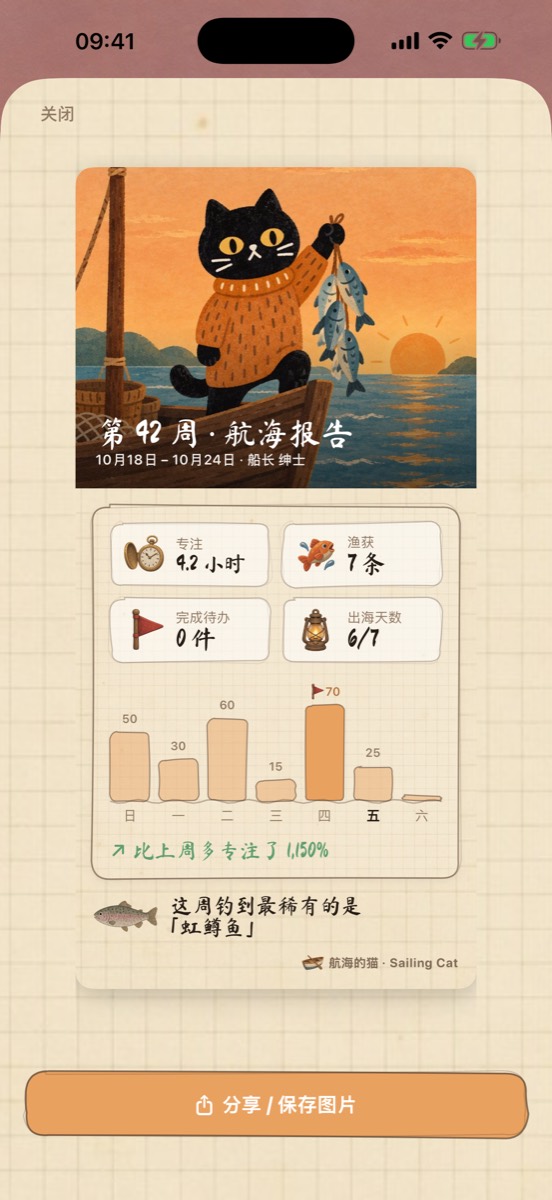
Packed into a poster you can share.
FAQ · Answers from the cat
I set up Focus Lock, but the app still opens?
- First check that Screen Time permission is granted in Settings → Focus Lock. Without it I can't raise the sail.
- Make sure the session has actually started (the timer is running), not just the duration selected.
- Whitelist mode needs at least one specific app or website. Categories alone don't count.
- Check iOS Settings → Screen Time → Always Allowed and make sure the target app isn't listed there.
- The shield lifts when you return and reel in. If the app was force-quit, reopen it so I can try to restore the session state.
New phone, and my fish and outfits are gone?
On the old device, turn on Settings → Sync Data to iCloud and wait for the sync to finish. On the new device, sign in with the same Apple ID and turn sync on. You can also restore a recent snapshot in Settings → iCloud Backup.
Restore Purchases isn't working?
Make sure you're signed in with the Apple ID used for the purchase, then open Settings → Sailing Cat Pro → Restore Purchases. Family Sharing members should confirm they've joined the family group and use their own Apple ID.
How do I cancel my subscription? I don't want the cat waiting forever.
Open iOS Settings → Apple Account → Subscriptions → Sailing Cat, or visit App Store subscription management. You keep Pro until the end of the current billing period. The cat won't be upset — I'll just bring the boat ashore and wait for you.
How do I request a refund?
In-app purchases are handled by Apple. Request a refund at reportaproblem.apple.com. I'm only a cat, so I can't issue one directly — sorry.
How do I delete my data?
Open Settings → About Sailing Cat → Start Over in the app to clear data on this device; if iCloud sync is on, the synced iCloud data is cleared too.
You can delete individual iCloud backups in Settings → iCloud Backup. Deleting the app also removes data on your device, but does not automatically delete data in iCloud.
Does the app need internet?
Core features work offline — no signal at sea is fine. iCloud sync, iCloud backup, and in-app purchases need a network connection.
Which devices and languages are supported?
iPhone and iPad, iOS 17 or later. Simplified Chinese, Traditional Chinese, English, Japanese, Korean, French, and Spanish.
Will I lose my fish and outfits?
Data is stored on your device by default. With iCloud sync on, it syncs across devices signed in to the same Apple ID. Before switching phones, turn on sync or make an iCloud backup — that way I can bring the whole boatload with me.
Feature requests
What should I fish for, which sea should I visit, what should go on the boat? Write it down. Wishes appear publicly on the wish board, and other sailors can give one a fish. The nickname is optional (anonymous sailors welcome). Please don't include passwords, verification codes, health information, or other private data.
Changelog
1.0 · First voyage
- Focus sessions, tasks, statistics, and session history.
- Cat interactions, catch collection, outfits, and shareable camera cards.
- Focus Lock, Live Activities, widgets, and optional iCloud sync and backups.
Future release notes will be added with app updates. See the App Store version history for the latest details.
Write to the cat
Questions, suggestions, bugs, or just tell me what you caught today: theiceocean@outlook.com. I read every letter when I'm back ashore.
The web form goes straight to the cat. Leave an email if you would like a reply, or don’t. Opening it from Settings → Help & Feedback in the app attaches your app version and device automatically.
Sailing Cat is a time-management tool and does not provide medical or mental-health advice. If you're truly exhausted, rest first — the fish can wait until tomorrow.